Was this page helpful?
ScyllaDB Cloud MCP Server BETA
Note
ScyllaDB Cloud MCP is currently in Beta. It offers read-only tools to help you get information about your clusters and account. Additional tools will be added in upcoming releases.
Overview
Model Context Protocol (MCP) is an open standard for connecting AI agents to external tools and data sources.
The ScyllaDB Cloud MCP server implements this standard, exposing the ScyllaDB Cloud API as tools that AI agents can discover and call directly.
It can be used with any AI client that supports MCP. For example:
For a ready-to-use agent setup, see the ScyllaDB agent skills repository.
ScyllaDB MCP Tools
The following tools are available in the current Beta release. They are all read-only, providing a safe way to query information about your ScyllaDB Cloud environment:
Tool |
Description |
|---|---|
|
Get account details and associated cloud accounts. |
|
List all clusters with optional metrics. |
|
Get cluster details, data centers, and nodes in a single call. |
|
Get node health, data center metrics, and cluster-level metrics. |
|
List cluster operation requests with optional type and status filters, or get details for a specific request. |
|
Track the progress of a cluster creation request, including status, progress, and completion state. |
|
Fetch time-series performance metrics for a ScyllaDB Cloud cluster, broken down by datacenter (DC). |
|
Create a new cluster. Walks you through the cluster configuration and requires explicit human confirmation before the cluster is created. |
|
Delete a cluster, with an option to preserve its backups. Requires explicit human confirmation before the cluster is deleted. |
|
Browse API documentation, models, and product documentation. |
More tools will be added in upcoming releases, including tools for creating clusters and updating scaling policies.
Connecting to the MCP Server
Prerequisites
Before connecting, make sure you have the following:
An MCP-compatible client
Configure the MCP Connection
To connect to the ScyllaDB Cloud MCP server you need:
MCP Server URL:
https://mcp.cloud.scylladb.comAccess Token: A personal API token. See Create a Personal Token for Authentication for instructions.
The following example shows how to configure the connection in OpenCode. For other MCP clients, refer to their documentation.
Sign in to ScyllaDB Cloud and create a personal access token.
Open the OpenCode configuration file
opencode.jsonc.Add the MCP connection under the
mcpkey. Provide the ScyllaDB Cloud MCP server URL and set theAuthorizationheader to your personal token, prefixed with theBeareridentifier:"mcp": { "scylladb-cloud": { "type": "remote", "url": "https://mcp.cloud.scylladb.com", "headers": { "Authorization": "Bearer <PERSONAL_API_TOKEN>" }, "timeout": 30000 } }
Replace
<PERSONAL_API_TOKEN>with the token you generated in step 1.
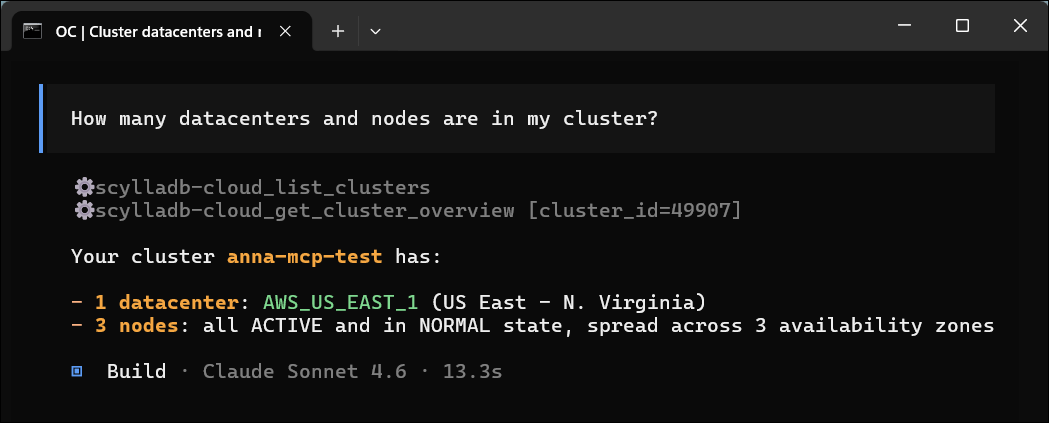
Once you are connected to the MCP server, you can list its tools, run them, and inspect their responses.