
Was this page helpful?
Adding a Datacenter
You can add a new datacenter to an existing ScyllaDB cluster to scale out the cluster and provide higher availability (HA).
To add a datacenter, open a request via the ScyllaDB Cloud UI: choose Action> Add Data Center in your cluster’s view and complete the request form. The required information depends on your cluster type. See the following sections for details.
The Add Data Center option is only available for private clusters.
ℹ️ If Vector and Text Search is enabled on your cluster, indexing nodes are not automatically added to the new datacenter. You must deploy indexing nodes separately after the datacenter is created. See Enabling Vector and Text Search on an Existing Cluster for instructions.
X Cloud Clusters
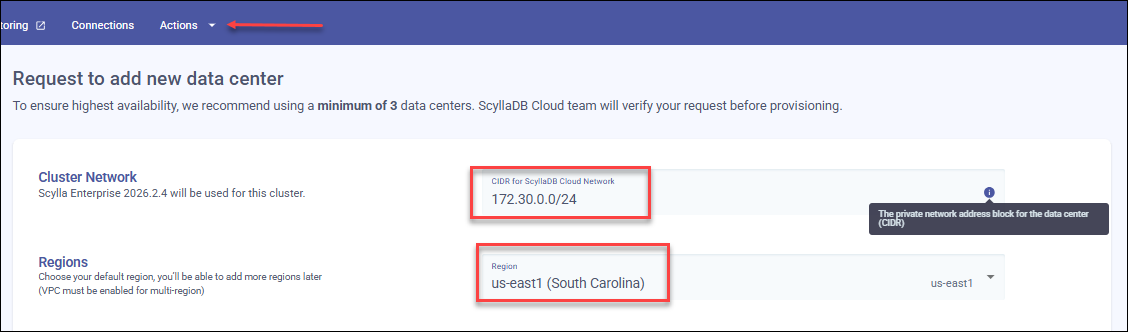
To add a datacenter, at minimum you need to provide the CIDR for the new datacenter’s network and the Region where it will be deployed.
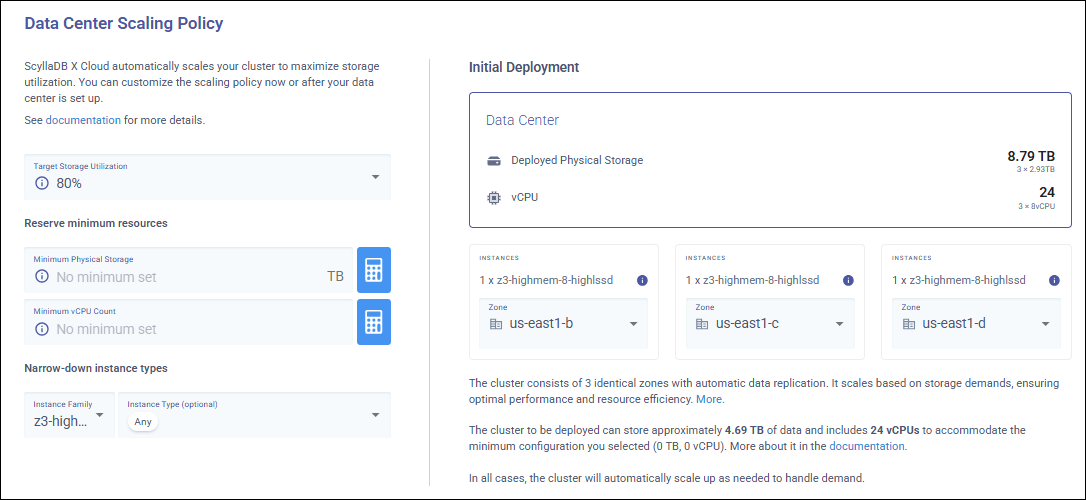
In the same request form you can configure a Data Center Scaling Policy with its own target storage utilization, minimum resources, and instance family. Each datacenter scales independently, so your new datacenter can have a different scaling policy and initial size from the other datacenters in the cluster.
If you do not configure a scaling policy, the default policy is applied. See Auto Scaling Policy for details on scaling policy options.
You can also select the Availability Zones for the new datacenter. If you do not configure availability zones, default zones are assigned automatically. See Configure Availability Zones for details.
Adding a datacenter is handled by ScyllaDB Support and can take up to 48 hours to complete.
After the datacenter is provisioned, update your keyspace replication settings to include the new datacenter. First, check your current keyspace configuration:
DESCRIBE KEYSPACE my_keyspace;
Then update the replication settings to include the new datacenter:
ALTER KEYSPACE my_keyspace
WITH replication = {
    'class': 'NetworkTopologyStrategy',
    'AWS_US_EAST_1': 3,
    'AWS_EU_WEST_1': 3
};
Use the exact datacenter name as shown in the ScyllaDB Cloud UI.
After you update the replication settings, data streaming will run in the background. The time required for the cluster to reach its new data distribution depends on the cluster size and data volume.
Standard Clusters
You need to specify the number of nodes you want to add in that datacenter. The number of nodes you can add equals or is a multiple of the Replication Factor set for your cluster (3, 4, or 5). The cluster status will be verified before provisioning to ensure stability and performance.